
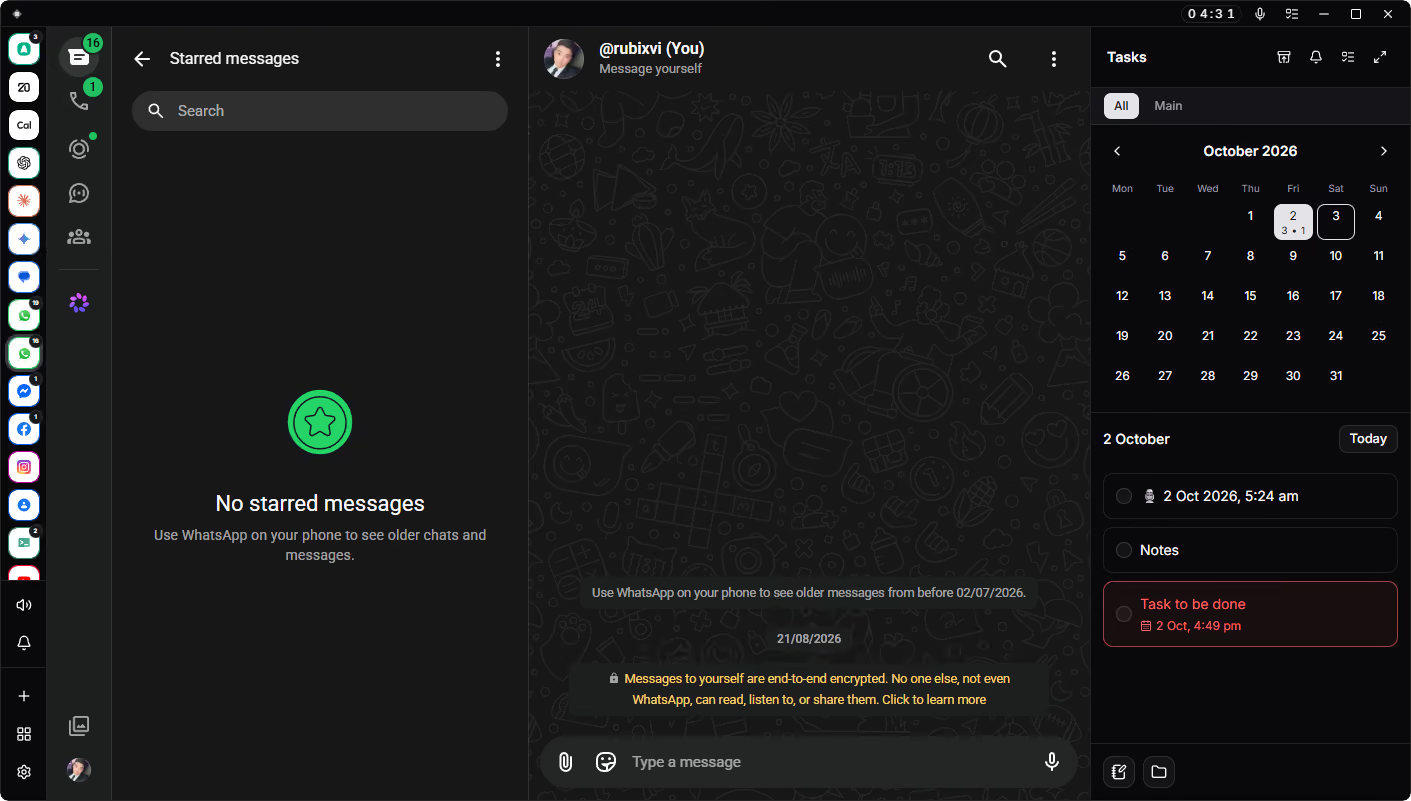
Onedash for every workflow

Onedash combines the tools you use every day into a workspace designed for focus and execution.

Application

Centralize your toolkit

Notes
Calendar
Chat
Alerts

Applications

Centralize your essential applications within one streamlined, organized interface.

Workspaces

Isolate work, personal, and client tasks into dedicated sandboxed sessions.

Focus Controls

Minimize daily distractions using notification silencers and customizable modes.

Encryption

Protect sensitive information with client-side encryption and session locking.

Everything you need within reach, without the clutter of scattered apps and browser tabs.

Performance
Built with Tauri and Rust to stay fast and responsive.
Storage
Local-first storage keeps your data available and in control.
Calls
Native WebRTC voice and video calls across supported services.
Multitasking
Isolated sessions keep multiple accounts separate and accessible.
Remote
Remove workspace data and encryption keys from lost devices.
Audit
Track account, access and security activity across your fleet.

Secure

Professionals
Manage client accounts, portals, and tools across applications.
Teams
Organize brands, socials, and logins while eliminating endless browser tabs.
Agencies
Maintain isolated browser environments for every client and campaign.
Marketers
Run campaigns across multiple ad accounts, platforms, and client profiles.
Creators
Seamlessly manage content channels, brand deals, and social accounts.
Engineers
Switch between repositories and environments without losing context.

Onedash

Bring your workspace together with Onedash.

Professionals

How teams and professionals stay focused, organized, and connected.

“Managing four client WhatsApp accounts in one window saved my sanity. No more constantly logging in and out.”

Jordan Lee

Operations Lead

“Having my private notes right next to my active tools keeps everything organized and completely secure.”

Priya Nair

Independent Consultant

“I used to lose half my day in browser tab clutter. Now my entire workspace feels instant and effortless.”

Marcus Webb

Agency Founder

Pricing

See pricing for our individual, business, and enterprise plans.

Starter

For individuals managing basic personal projects and services.

9.99 / month
  • 2 workspaces
  • 10 services
  • Encrypted notes

Pro

For creators and power users running multiple active workflows.

15.99 / month
  • 5 workspaces
  • 40 services
  • Encrypted notes

Business

For solo professionals needing maximum capacity and limits.

21.99 / month
  • 9 workspaces
  • 100 services
  • Encrypted notes

Start with a 30-day free trial. No credit card required.

Questions

Everything you need to know about Onedash.

Onedash is a high-performance, security-focused desktop workspace built with Rust. It brings web apps, services and multiple accounts into isolated sessions, allowing users to manage their tools from one application without relying on separate browser profiles or multiple desktop apps.

Onedash is currently available for Windows. Support for macOS and Linux is in development and planned for a future release.

Authentication credentials and persistent device tokens are protected using the operating system credential store, including Windows Credential Manager. Short-lived authentication tokens are handled within the native application. Each installation also uses its own encryption key to protect the local database at rest. Where cloud services are used, sensitive data is encrypted before transmission and protected using managed encryption keys. Key material is separated across multiple infrastructure components, reducing reliance on any single point of failure and limiting the risk associated with the compromise of any one system or credential.

Yes. A remote wipe can remove local workspace data, active sessions and protected encryption keys from a lost device without affecting personal files. Local database files are also bound to encryption material protected on the host device. Copying those files to another computer does not make the data accessible, as the corresponding decryption keys are not stored within the database itself and remain protected on the original device.

HTTP, HTTPS, SOCKS4, SOCKS4a, and SOCKS5 are supported, with dedicated proxy configuration available per service.

Yes. Workspace configurations, preferences and notes can sync securely across authorized devices. Synced data is encrypted before transmission, while active sessions, account logins and local authentication data remain stored on the individual device.